Best CDN for WordPress: AirLift and 6 Options Compared by Use Case
If you are searching for the best CDN for WordPress, first find out what is actually slowing your site down. In some cases, the problem is slow hosting or high CPU usage, not content delivery. A CDN stores copies of your content on servers closer to visitors, which can reduce load times caused by distance and repeated requests. But it is important to know what a CDN can and cannot do.
A CDN can help your site feel faster for visitors in different regions and reduce some strain on your origin server. However, it does not replace good hosting, does not remove your original media files from your host, and will not fix slow WordPress code, heavy plugins, or poor optimization.
The right CDN depends on the main bottleneck you need to solve. This guide will help you understand when a CDN is the right fix, what to look for, and which option makes the most sense for your WordPress site.
TL;DR:Choose AirLift when caching, images, site files, and performance reports need to work together in WordPress. Choose Cloudflare for a general standalone CDN and security layer, then match the specialist options to your stack and bottleneck.
A CDN adds an edge delivery layer; WordPress and original media remain at the origin host.
What a CDN does for WordPress
A CDN sits between your visitors and the origin, which is the hosting account that runs WordPress; this is the basic model of how edge caching works with WordPress. It caches, meaning it saves copies of, images, style files, scripts, fonts, and sometimes public pages at nearby locations. This can lower waiting time and reduce repeated work for the host.
Your host still runs WordPress, the database where content and settings are stored, plugins, themes, admin area, and original media files. A saved CDN copy is not a backup and does not normally reduce hosting storage. If large uploads fill the server, consider media cleanup, more storage, or a media storage service.
The word CDN covers several different services:
A full-site CDN: Delivers files and may save public page content. It needs careful rules for private or changing pages.
A static-file CDN: Delivers files such as images, styles, and scripts but may leave page creation at the host.
An image CDN: Resizes, compresses, and changes image formats. It does not usually speed up the rest of WordPress.
Media storage and delivery: Stores files outside the host and delivers them to visitors. This is different from ordinary CDN caching.
A host-bundled CDN: Comes with a hosting plan and may be simple to enable, but can offer less control or portability.
An optimization workflow: Brings page caching, image work, site-file changes, and reporting into one WordPress process. AirLift fits this broader category.
💡 Note: A CDN helps most when visitors are far from the host, public pages can be reused, or large files use too much bandwidth. It will not make every request faster.
The best options at a glance
These are ranked by the reader outcome they serve. They are not seven identical CDN products. AirLift is first for the broader one-workflow outcome; Cloudflare is first among standalone general-purpose CDNs.
Pick
Best for
Main scope
Main tradeoff
AirLift
One WordPress performance workflow
Page caching, CDN-related delivery, image and asset work, and reports
Broader than a specialist CDN; exclusions still need care
Cloudflare
General standalone starting point
Domain routing, file delivery, HTTPS, traffic protection, and cache controls
You own more cache decisions
Bunny.net
Value-focused delivery
Usage-based edge delivery, caching, and optional media tools
More direct setup and add-on choices
QUIC.cloud
LiteSpeed sites
WordPress-aware caching, optimization, purging, and CDN delivery
Depends on the LiteSpeed stack
CloudFront
AWS teams
AWS-connected delivery, logs, and advanced controls
More infrastructure and billing work
Sucuri
Security-led protection
WAF/CDN, monitoring, scanning, malware removal, and support
A broader security service, not a narrow CDN
Optimole
Image-heavy sites
Image resizing, compression, format changes, and delivery
Does not replace full-page caching
A quicker route to the right pick
WordPress Caching, images, site files, and reporting: start with AirLift.
A general standalone CDN with DNS and cache control: start with Cloudflare.
Value-focused delivery and direct control: compare Bunny.net.
An existing LiteSpeed stack: evaluate QUIC.cloud before adding another cache layer.
An AWS-operated site: consider CloudFront if the extra configuration is justified.
Managed security response: consider Sucuri.
Image weight as the main bottleneck: choose Optimole or another image-focused tool, then handle page caching separately.
Choose by bottleneck, not by brand
Use these checks before changing DNS, the system that points your domain to a service. The largest network is not automatically the best fit.
Find the slow layer before choosing a provider: Separate delivery distance, slow hosting, large images, heavy browser code, scripts that run in the browser, traffic spikes, and full storage. A CDN only addresses some of these.Running a WordPress performance audit can help isolate where the bottleneck actually lives.
Choose the content you need to deliver: Decide whether you need files, public pages, images, media storage, or a security layer. Do not treat an image service as a full-site CDN.
Protect pages that change for each visitor: Logged-in pages, admin screens, previews, search, memberships, forms, cart, checkout, account pages, and personalized content usually need to skip the cache.
Give full-page caching one clear owner: Understand the differences between page cache vs. object cache so two systems saving the same pages do not cause stale content, failed purges, and difficult debugging.
Compare the full cost and effort: Review quotas, regions, support, purge controls, setup work, storage, renewal terms, and usage charges instead of choosing by a free label alone. Purging means clearing saved copies after a change. A low entry price can still be a poor fit if the setup or overage model is hard to manage.
⚠️ Note: Full-page caching can help public sites more than file delivery alone, but a wrong cached response can expose one visitor’s content to another. Treat dynamic-page exclusions as a required part of setup.
1. AirLift
AirLift is the best overall choice when the problem includes more than delivery distance. Its documented product scope brings page caching, CDN-related delivery, image and site-file improvements, performance reports, and automation into one WordPress workflow. That makes it useful when the alternative is assembling several overlapping tools and then deciding which one owns caching and purging.
Choose AirLift when you want fewer overlapping tools, need caching and image work together, or manage several WordPress sites with a consistent process. Its main advantage is coordination: one workflow can address page reuse, image size, fonts, styles, and site files while giving you a common place to review AirLift optimization settings and performance.
Skip AirLift if you need specialist delivery routing, AWS control, managed security response, or a fix for slow hosting, database work, custom code, or unsafe WooCommerce caching. Confirm the plan scope, supported setup, cache exclusions, and purge behavior before enabling it. Review the available AirLift plans only after checking that their current limits match your site, and contact AirLift support if setup questions remain.
Cloudflare is the strongest general starting point for a small public WordPress site that wants a standalone CDN, domain routing, HTTPS, the encrypted web connection, and basic traffic protection. Its documented free entry point can make it a practical first comparison, but a free tier does not remove the need for safe WordPress cache rules.
Cloudflare’s documented controls cover cookies, cache rules, how long content stays saved, and purging. Those controls are why it can serve both a simple static-file setup and a more deliberate public-page cache, but they also leave more decisions with you. Static files may come from Cloudflare while WordPress still creates each page at the host.
Choose Cloudflare when you can manage domain and cache settings. Skip it when you want a nearly automatic WordPress workflow or cannot safely test private pages and content updates.
3. Bunny.net
Bunny.net is a good standalone choice when you want direct control and usage-based billing. Its documented region-based delivery model can fit a site that wants to pay for actual traffic instead of taking on a larger platform plan, but check the current minimums and add-on charges before committing.
The usual setup uses a pull zone, which is a connection that fetches files from your host and saves them for later requests. That is manageable for a technical owner who understands domain records, caching, and purging. It is less suitable if you expect WordPress to make every decision for you.
Choose Bunny.net for focused delivery, direct controls, and optional storage or image tools. The practical evidence for its fit is the documented pull-zone model: it gives you a clear origin-to-edge path, but you must understand DNS, caching, and purging. Check each add-on separately, and keep page caching ownership clear.
4. QUIC.cloud
QUIC.cloud is the specialist choice for a site already using LiteSpeed, a web server often paired with the LiteSpeed Cache WordPress plugin. Its documented advantage is the connection between the server, WordPress-aware caching, optimization, purging, and CDN delivery. That stack fit is the reason to choose it; the same dependency is the reason not to add LiteSpeed solely for this service.
Choose QUIC.cloud when LiteSpeed is already central to the site. Do not add a LiteSpeed-based setup only to get this CDN. Its plan levels have different locations, bandwidth rules, and features, so confirm that the selected plan serves your visitors before changing the stack.
For a stack-neutral setup, Cloudflare or Bunny.net is usually easier to evaluate.
5. Amazon CloudFront
Amazon CloudFront fits teams already using Amazon Web Services, or AWS, and willing to manage a more advanced setup. Its documented integration connects CDN delivery with AWS origins, logs, security services, and routing controls. That integration is meaningful when the team already has AWS ownership and monitoring in place; it is overhead for a basic WordPress site.
CloudFront has multiple billing and configuration paths. That range can work well for developers, but a basic WordPress site may gain little from taking on extra permissions, cache settings, cache invalidations that clear saved copies, and billing choices. Estimate traffic and operational time together rather than comparing only a headline CDN price.
Choose CloudFront when an AWS team will own configuration and monitoring. Choose a managed WordPress workflow or focused CDN when you want less infrastructure work.
6. Sucuri for security-led protection
Sucuri is the right choice when CDN delivery is part of a wider security decision. Its published platform scope combines a web firewall, which filters harmful web requests, with CDN delivery, monitoring, scanning, malware removal, and support.
That wider service can matter to a business that values security response more than the lowest file-delivery cost. It does not replace updates, strong administrator accounts, backups, or a secure host. If you want a WordPress-focused security workflow, compare MalCare.
Choose Sucuri when managed protection is the priority. Skip it when you only need inexpensive static delivery or already pay for another security platform that covers the same ground.
7. Optimole for image-heavy sites
Optimole is the specialist pick when images create most of the page size. Its documented focus is WordPress-aware resizing, compression, format changes, and image delivery, which addresses image bytes without changing how WordPress creates HTML.
Choose Optimole for portfolios, publishers, stores, and other sites with many large images. An image service will not speed up page creation, styles, scripts, database work, or checkout. Check the current visit, credit, transformation, and format limits before choosing a plan.
If the site also needs public-page caching, add that layer only after deciding which service owns caching and how image changes are purged.
Problems a CDN will not solve
A CDN is one layer of the performance stack, not a universal repair tool.
Problem
Why the CDN is not enough
Better next check
Full hosting storage
Saved copies do not normally remove original files
Clean media, add storage, or use media storage
Slow hosting or database work
The host still creates pages that are not saved
Review hosting resources, plugins, themes, and queries
Slow admin pages
Admin pages are usually private and personalized
Check admin plugins, server response, and database health
Oversized images
Faster delivery does not make the file smaller
Resize, compress, and serve the right size
Heavy browser scripts
Delivery does not remove work done in the browser
Review scripts and third-party tools
Cart, checkout, and personal pages
A bad cache rule can show the wrong response
Bypass them and test the full flow
Set up and test the change safely
Create a backup first: Save a known-good copy before changing domain records, HTTPS settings, or cache behavior.
Capture a baseline: Test one representative public page and one important flow, then record response time, page size, and form or checkout completion.
Assign one page-cache owner: Disable or bypass competing full-page caches so you can tell which system changed the result.
Protect private or changing pages: Exclude logged-in users, admin screens, previews, search, memberships, forms, cart, checkout, account pages, and other personalized responses.
Verify delivery and cache status: Confirm HTTPS works, inspect whether a public page is served from the CDN, and check both the first and repeat requests.
Purge after a small edit: Clear the saved copy, reload the page, and if the WordPress change is not showing, check the browser, page, and CDN caches.
Test important paths: Check redirects, login, forms, media replacement, search, and the complete purchase flow before sending real visitors through the change.
Keep a rollback path: Record who controls domain routing, page caching, image work, and purging so another person can undo the change safely. WP Remote can help with ongoing WordPress maintenance.
Treat the WordPress login URL as dynamic
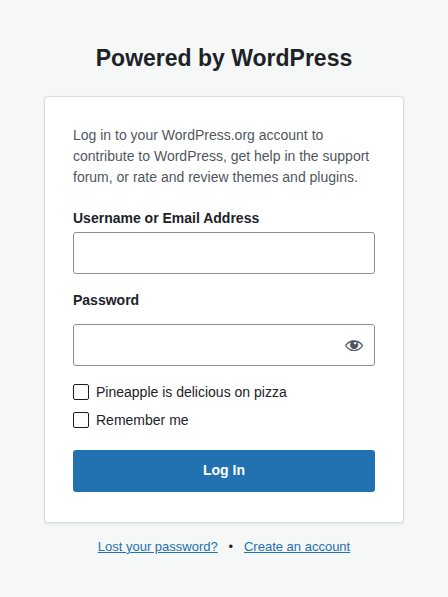
Login is a useful cache-safety check because the form and its response belong to the private WordPress flow. Keep the default or custom login route out of full-page caching, and test it while logged out as well as after a successful login.
Measure the result
Compare the same page under the same conditions: Use the same URL, device, content, and test locations before and after activation. Include the regions where visitors live.
Track the first response and the repeat response: Time to first byte, or TTFB, measures how long the first part of the response takes to arrive. A repeat request shows whether the saved copy is working.
Check the full user experience: Record Largest Contentful Paint, the time until the main page content appears. LCP is one of Google’s Core Web Vitals, a set of user-experience checks. Read our guide on how to improve Core Web Vitals without breaking your site for practical fixes. Also record page size, image formats, and the number of requests.
Confirm the business flows: Test login, forms, search, cart, checkout, account pages, and content updates. A faster public page is not a useful result if the site cannot sell or collect leads.
💡 Note: A lower first-response time is useful evidence, not a final verdict. Large images, browser scripts, and third-party services can still make the page feel slow.
FAQs
What is the best CDN for WordPress?+
AirLift is the top choice for one coordinated WordPress performance workflow. Cloudflare is the best general standalone starting point, while Bunny.net, QUIC.cloud, CloudFront, Sucuri, and Optimole fit narrower needs.
Does a CDN make WordPress faster?+
It can help when visitor distance, reusable public content, large files, or host bandwidth is part of the delay. It will not automatically fix slow hosting, database work, heavy scripts, oversized images, or private pages.
Is a free CDN enough for a small WordPress site?+
Often, yes, for a small public site with simple content. Check the free plan’s cache scope, locations, purge controls, security, support, and limits before assuming it provides full-page caching.
Does a CDN replace WordPress hosting or reduce storage?+
No. Hosting still runs WordPress and normally keeps the original media. A CDN cache is not media storage or a backup unless the service explicitly includes those functions.
Can I use AirLift with another CDN?+
You can combine a WordPress performance workflow with a specialist CDN only when each layer has a clear job. Decide which service owns page caching, image transformation, asset delivery, and purging, then test content updates and dynamic pages. Overlapping full-page caches create stale content and make failures harder to diagnose.
Conclusion
Choose AirLift if you want one WordPress workflow for caching, CDN delivery, image and site-file improvements, and reports. Choose Cloudflare for a broad standalone starting point, Bunny.net for value-focused delivery, QUIC.cloud for LiteSpeed, CloudFront for AWS, Sucuri for managed security, or Optimole when images are the clear bottleneck.
Start with one public page and one important user flow. Measure them, change one cache layer, protect dynamic pages, purge after an edit, and keep a rollback path. The best CDN is the one that solves the real delay without creating a new content or checkout problem.